
Vehicle trip log software
Trip logs usually get filled in at the end of the month, from memory and a pile of receipts — while the accountant is separately trying to work out which line of the fuel invoice belongs to which car. In Ezura both halves run off the same document: the fuel station invoice that reaches your accounting anyway becomes both the fill lines on a driver's trip log and a summary showing every transaction, the lines nothing was matched to, and the year's litres for the pollution tax.
1/7 · InvoiceEvery month the fuel station emails its fuel card invoice to your Ezura inbox, like any other invoice.
- Fills come from fuel station invoices — matched by fuel card and number plate
- Every fuel transaction stays visible: date, station, card, litres and amount
- You can see which invoice lines were not matched to a vehicle, and for how much
- The fuel balance carries over from last month; nothing to calculate
- Norms are set per vehicle and can differ by month
- A third norm for trips with a trailer or on dirt roads — only on the rows marked
- Where the invoice prints card totals, transactions are checked against them, and it says so
- The environmental pollution tax is calculated from those same litres
- Drivers fill in on a phone or in a browser and see only their own vehicles
- A submitted trip log can be unlocked for correction — later months' balances follow by themselves
- When drivers swap cars, trips move to the other car together with their fills
- Every vehicle is one row showing the state of its last twelve months
- A PDF trip log with the monthly summary, in one click
The fuel invoice is already in accounting — use it twice
A fuel station invoice isn't one entry; it's dozens of transactions with a date, a time, a card, litres and a price. Normally all of that disappears into a single monthly total.
Ezura keeps those transactions separately and ties them to a vehicle through the fuel card. So the same document that goes into accounting as a cost also fills the fills column of the trip log. Nothing is entered twice.
In accounting, the same invoice doesn't have to arrive as a hundred lines. A supplier rule can be set to "one line per fuel card": each card's petrol, diesel and other purchases (car wash, screen wash, AdBlue) become separate lines for each VAT rate — the way many accountants merge fuel-card invoices by hand.
Every fuel transaction stays a separate line
On the accountant's side the month's fuel invoices are shown as they arrived — by seller and invoice number — and broken down by vehicle inside. Each vehicle shows its cards, litres and amount; expand it and every transaction is there with its date, time, station, product, quantity and card number.
So "what did this car cost this month" has an answer without any sorting by hand — and it is the same answer already sitting on the driver's trip log.
| Vehicle | Cards | Litres | Net |
|---|---|---|---|
KTE 995 Škoda Octavia | •••• 4417 | 133.4 | €189.42 |
JGN 412 VW Caddy | •••• 4418 | 208.9 | €296.64 |
LPR 077 Toyota RAV4 | •••• 4420, •••• 4431 | 96.2 | €141.10 |
3 lines not matched to a vehicle
€84.20 of the invoice is not covered by lines
| Fuel | Litres | Tonnes | Tax |
|---|---|---|---|
| Petrol | 1,942.0 | 1.4565 | €17.26 |
| Diesel | 4,108.5 | 3.4511 | €51.11 |
| Total for the year | €68.37 | ||
Indexing coefficient is provisional until this year's is published
What the invoice says, and what the lines don't
Fuel invoices are not tidy: some lines are a car wash or a coffee, a card may not be registered yet, and some lines are corrections against last month.
So each invoice shows the gap between the invoice amount and what was captured into lines, and separately the lines that could not be matched to any vehicle, with their value. It is not a general warning: you see how much, and where.
Where the invoice prints a total for each card, the transactions are checked against it: each card's rows must add up to its total, and all of them together to the invoice amount. Such an invoice is marked as checked against its card totals. Where the check could not be made — a scanned invoice, say, or an unfamiliar layout — that is said too, with a button to read the invoice again. So you know which litres, the ones a driver signs for, can be relied on without checking them yourself.
Credit notes are marked and kept out of the ordinary totals, so a re-issued invoice doesn't inflate the month's fuel cost.
A fuel balance that doesn't get lost between months
The opening balance is the most common trip-log error. If it comes from the wrong month, or is simply forgotten, every calculation after it is wrong — and it usually surfaces only at year end.
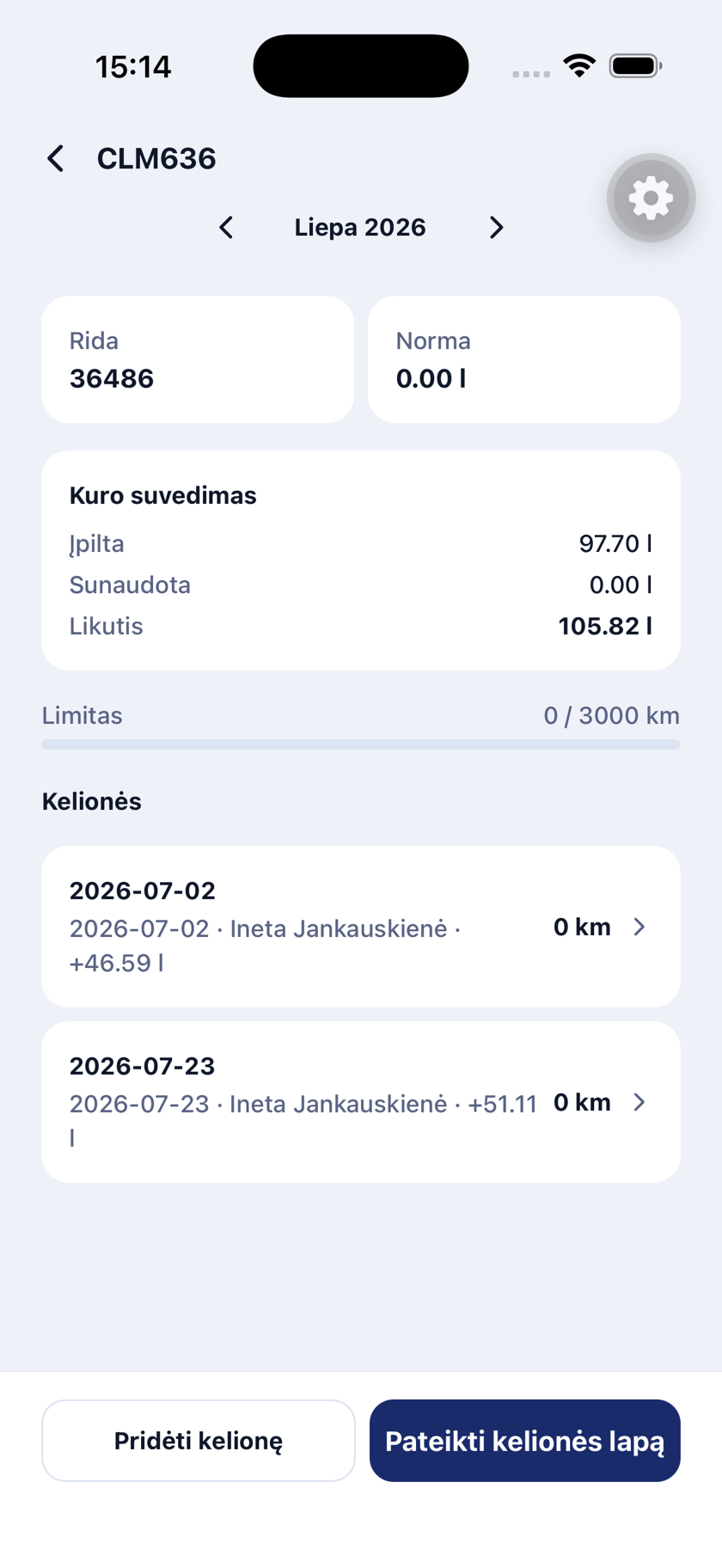
In the system the balance carries over from the previous month's close automatically. Looking back at an older month breaks nothing: browsing does not change the numbers of the months that follow.
A vehicle's first trip log has nothing to carry over from. So the system says so and asks the driver for two numbers — the odometer reading and the fuel in the tank at the start of the month. A car does not start counting from zero litres just because its previous log was on paper.
Correcting a trip log that was already submitted
The log is submitted, and a week later a trip turns out to be missing, or the fuel invoice shows a fill the log doesn't have. On paper that means rewriting it; in a spreadsheet it also means fixing every later month's balance by hand.
In Ezura the accountant or the driver's line manager unlocks the submitted log, can note what needs fixing, and chooses whether the driver gets an email with a link straight to that vehicle and month. The driver corrects it and submits again. A log from several months back can be unlocked too — how far back is the accountant's decision.
Later months correct themselves. If September ends with 4 litres after the fix instead of 12, October starts from 4 — even if October's log is already submitted. Trip rows in later months are not touched; only the opening balance and the numbers that follow from it move. If a correction pushes a month's balance below zero, it is shown in red rather than hidden.
Every unlock stays in the log's history: who unlocked it, when and why.
Norms per vehicle, not per company
One norm for the whole fleet doesn't work: a van, a car and a hybrid consume differently, and winter consumption is higher than summer.
In Ezura the norm is set per vehicle, and winter months can carry their own value. Consumption and the closing balance are calculated from it.
Some trips need a third norm — with a trailer, or on dirt roads. It can be set on the vehicle, and in the browser the driver marks only the rows it applies to. Marked rows burn the third norm, the rest the month's norm, and on the PDF trip log those kilometres carry an asterisk with a footnote naming the norm.
The norm does need to be technically justified — from manufacturer data or the company's own methodology. The system will not invent it for you, but it will apply it consistently across every month.
When kilometres and litres disagree
The classic situation: 240 litres were bought, but the routes entered add up to a distance that should have needed 180. The difference has to be either explained or distributed.
The "fit kilometres" action shows how far the available fuel could have taken the vehicle and spreads the missing distance across the days already entered. Each day gets a capped adjustment, so a 40 km trip never becomes 400 — and if something doesn't fit, you are told rather than quietly rounded.
The driver fills in only what the driver knows
A driver sees only the vehicles assigned to them. Fills, balance and norm are already there — what's left is the date, the route and the kilometres. In the browser each row shows how much fuel is left in the tank after that trip and how many kilometres it still covers at the norm, so a fill that was never entered shows up straight away, not at month end.
It's filled in on a phone or in a browser, entries save themselves, and before submitting the driver can preview the same PDF the accountant will see.
The route and purpose are the most valuable part of a trip log — generic entries like "business travel" prove nothing — so that column deliberately stays with the person.


When several people drive the same car
Not every employee has a vehicle assigned to them, yet sometimes they drive a company car too. The usual workaround is that the responsible driver types the colleague's trip in for them, from what they were told.
In Ezura that person can be allowed to record the trip themselves: they pick the car, the date, the route and the kilometres. The row lands on that car's trip log under their name, and they see nothing else of the log. The responsible driver sees the row, can correct it, and submits the log as always — one person still signs for the car.
No fuel needs entering: fills arrive from the fuel invoice by the car's card, whoever was driving that day. The permission is given to a named person or a group, so switching this on does not let every employee write into every car's log.
When drivers swap cars
Drivers sometimes swap cars but keep filling up on their own card. The fuel invoice then puts the fill on the card's car, even though the fuel went into the other tank, and neither car's balance adds up any more.
In Ezura the driver marks those trips on their log in the browser and moves them to the other car. The fills of those trips move with them, so both cars' fuel balances and their match against the invoices are recalculated by themselves. Trips can be moved to a car whose log for the month is already submitted: it is recalculated, and both logs keep a note of the move.
A moved fill stays with the new car even when the invoice is read again later — the card does not pull it back.
The accountant sees the whole fleet in one screen
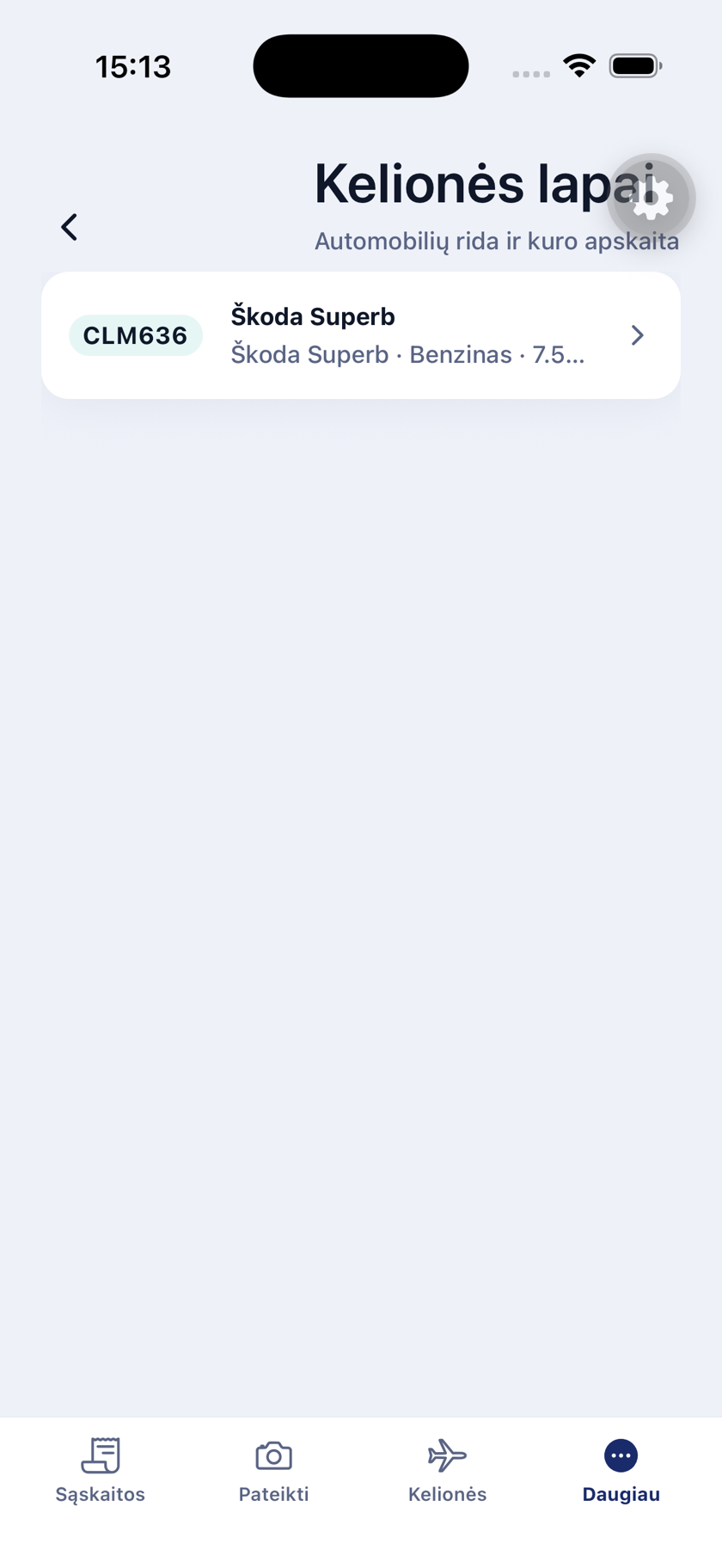
Every vehicle is one row: number plate, responsible driver, last month's status, kilometres, litres on the log and on the invoices, and the balance. Next to it sit twelve squares, one per month: submitted, being filled in, unlocked, or month over with no log. So nobody has to chase drivers one by one at month end — one filter shows the vehicles whose log for last month is missing.
A submitted log where something doesn't add up carries a remark: a fill on the invoice that is not on the log, litres on the log that differ from the invoices, a negative balance, rows without a route, or a log submitted empty. Click a square to see who submitted it and when, and open the PDF or unlock the log for correction from the same place.
For a vehicle nobody is responsible for, the accountant can submit the log herself — and is then recorded as the person who submitted it.
The yearly summary gives each vehicle a row with litres per month, the year's total and the distance driven. That is where a car whose consumption drifts from its norm becomes obvious, and where you can tell a one-off from a pattern.
Each vehicle's trip log opens as a PDF with a monthly summary and can be filed with the rest of the month's documents.
The pollution tax comes out of the same litres
The environmental pollution tax on mobile sources is normally a separate exercise: collect the year's litres per fuel type, convert them to tonnes by density, apply the tariff and the annual indexing coefficient.
In Ezura those litres already exist — they arrived on the fuel invoices. So the calculation is shown as a table: petrol and diesel separately, with litres, tonnes, tariff and tax, and the year's total underneath.
The indexing coefficient is set each year by the Ministry of Environment. Until the new year's coefficient is published the calculation uses the last known one and says so — the figure is shown as provisional rather than presented as final.
Is a trip log even mandatory?
Lithuanian law prescribes neither a trip-log form nor the trip log itself — the company decides which signed documents evidence fuel consumption. Trip logs, fuel write-off acts and consumption reports all qualify.
The practical difference lies elsewhere: a monthly summary is often enough to support the cost, but explaining that a car was not used privately is hard without routes and purposes. That is why the trip log remains the most convenient form — provided it isn't filled in from memory.
We cover this in more depth on the blog; the link is below.
Frequently asked questions
- Are trip logs mandatory in Lithuania?
- There is no prescribed trip-log form, and fuel costs can be recognised without trip logs — the company chooses which documents evidence consumption. A trip log is simply the most convenient option, especially where private use has to be explained.
- Where do the fills come from?
- From the fuel station invoices that reach your accounting anyway. Transactions are matched to a vehicle by fuel card number, so the trip log already shows the dates and litres.
- What about fuel paid in cash or on someone else's card?
- A fill can be entered by hand. If a fill for the same day later arrives on an invoice as well, the system does not double it.
- Can winter have a different norm?
- Yes. The norm is set per vehicle, and winter months can carry their own value. Trips with a trailer or on dirt roads can use a third norm, applied only to the rows the driver marks.
- Who can see the trip logs?
- A driver sees only the vehicles assigned to them. The accountant or fleet administrator sees the whole fleet and can download each vehicle's monthly PDF.
- Can a submitted trip log be corrected?
- Yes. The accountant or the driver's line manager unlocks it, the driver corrects it and submits again. Later months' opening balances are recalculated by themselves, and the unlock stays in the log's history.
- What if someone other than the responsible driver drove the car?
- A person without a vehicle of their own can be allowed to record the trip themselves. It lands on that car's trip log under their name, and the responsible driver still submits the log.
- A driver filled another car on their own card — what then?
- The driver moves those trips to the other car, and their fills go with them. Both cars' balances are recalculated, and both logs keep a note of the move.
Other Ezura products
Invoice data entry
Incoming invoices are read, checked and passed into your accounting system — without manual data entry.
Invoice approval
An invoice is approved by the person responsible for the cost before it reaches the books. A second signature above a limit, and a record of who and when.
Virtual accountant
Incoming invoices enter themselves: read from email, VAT and dimensions assigned, exported to your accounting system.
Business trips
From request to expense report: the order is generated, receipts are scanned on a phone, the report is a PDF with every receipt.
Invoicing
Automatic numbering, an instant PDF, overdue tracking and export — in the same system as your incoming invoices.
HR
Employee records, leave requests approved along the reporting line, an absence calendar and payroll calculation in one place.
Document management
Personnel documents from templates with a signing chain, invoices with their companion documents and approval, deal files — each with a record of who and when.
Freight forwarding
An inquiry email becomes an order, the carrier's invoice and CMR find their order, and a check shows what does not match.
CRM and sales pipeline
A deal board with your own stages, weighted value and change history, plus budget, contacts and tasks — on the same company list your invoices use.
Public tender radar
Public tender notices from Lithuania, its neighbours, the EU and Ukraine — filtered by your CPV codes and keywords, each with the reason it matched.
Related pages
Do you run a fleet with fuel cards? We'll show you what your fuel invoice looks like as a trip log.